Developer PowerTools
| Mod Name | Developer PowerTools |
| Game | Farming Simulator 25 |
| Manufacturer | n/a |
| Category | Gameplay |
| Author | w33zl |
| Size | 100 KB |
| Version | 1.1.0.0 |
| Release Date | 16.03.2025 |
| Platform | PC/MAC |
Views 1484
Downloads 66
ModBarn 0 (0)
ModHub 4.0 (98)
Developer PowerTools is a quality-of-life mod for modders that works well alongside Power Tools, Easy Dev Controls, Global Explorer and similar mods.
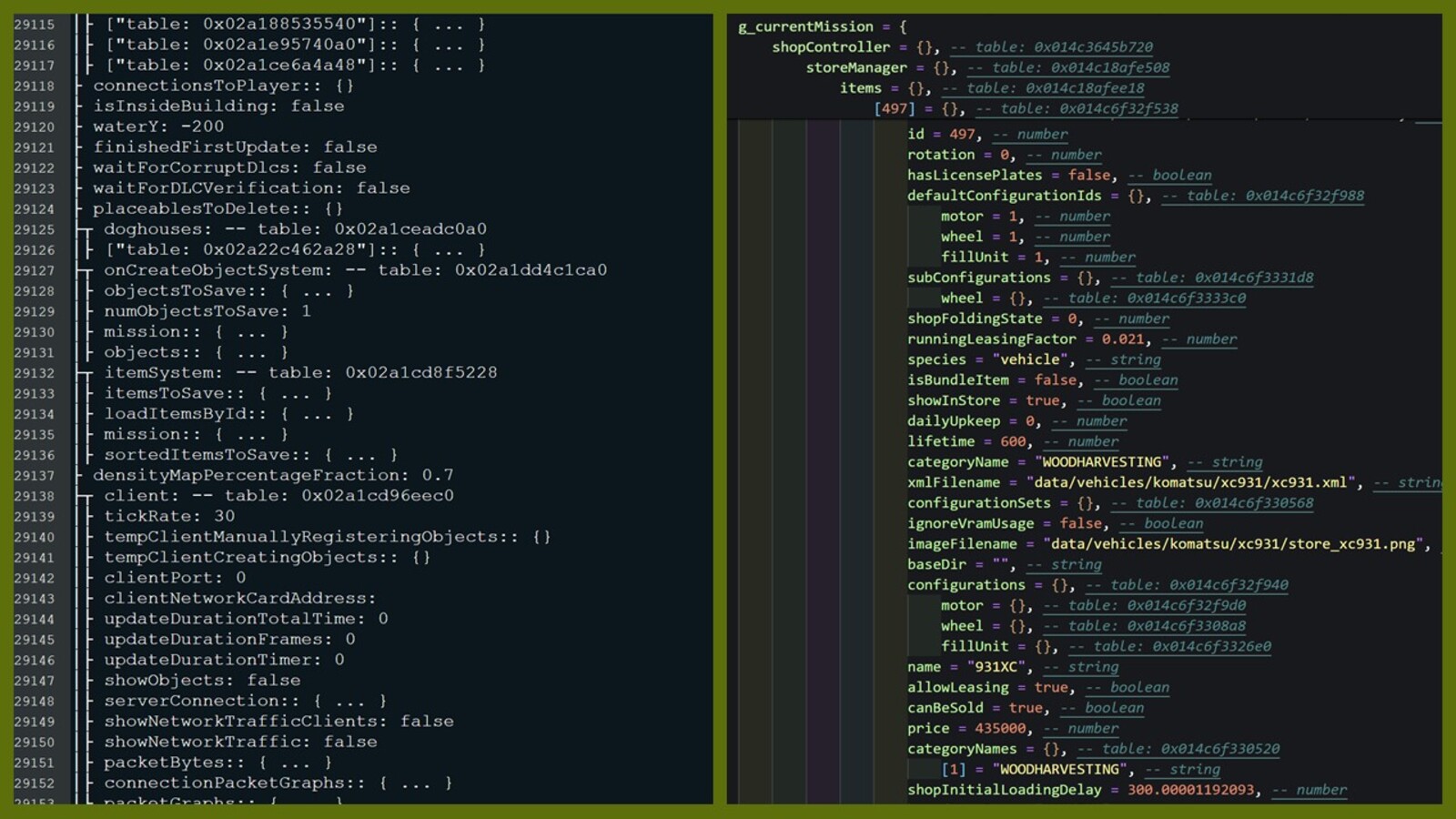
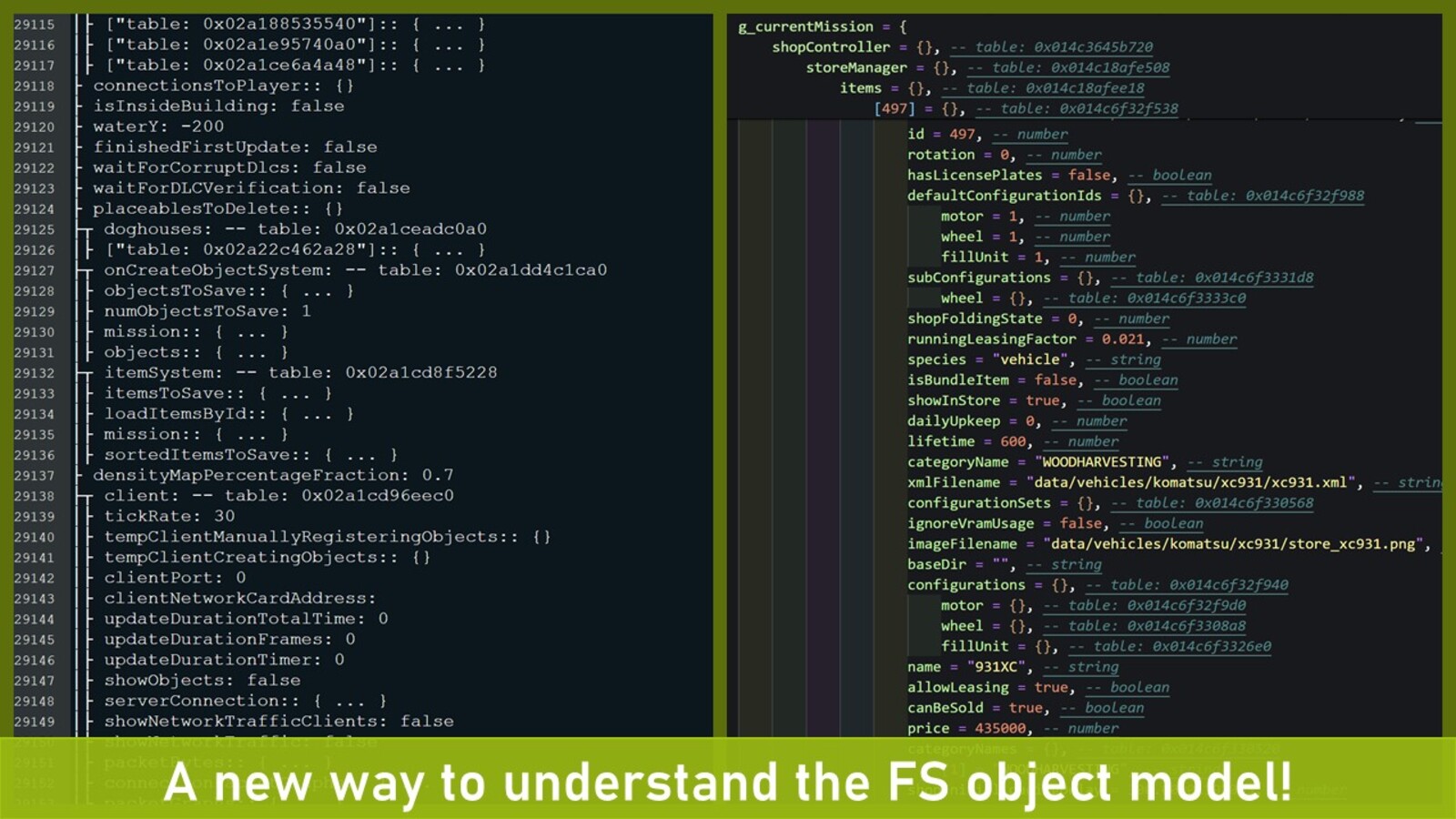
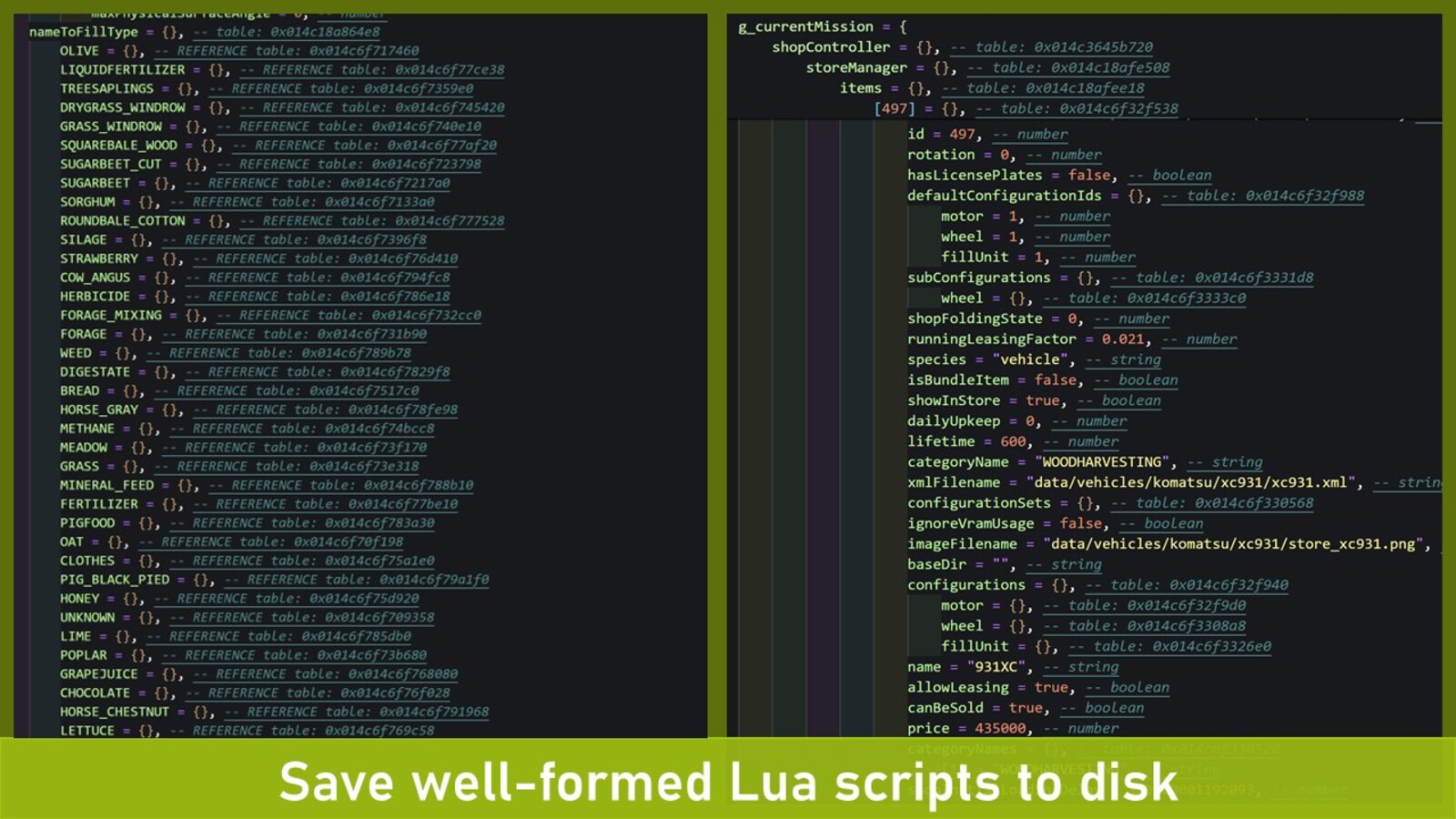
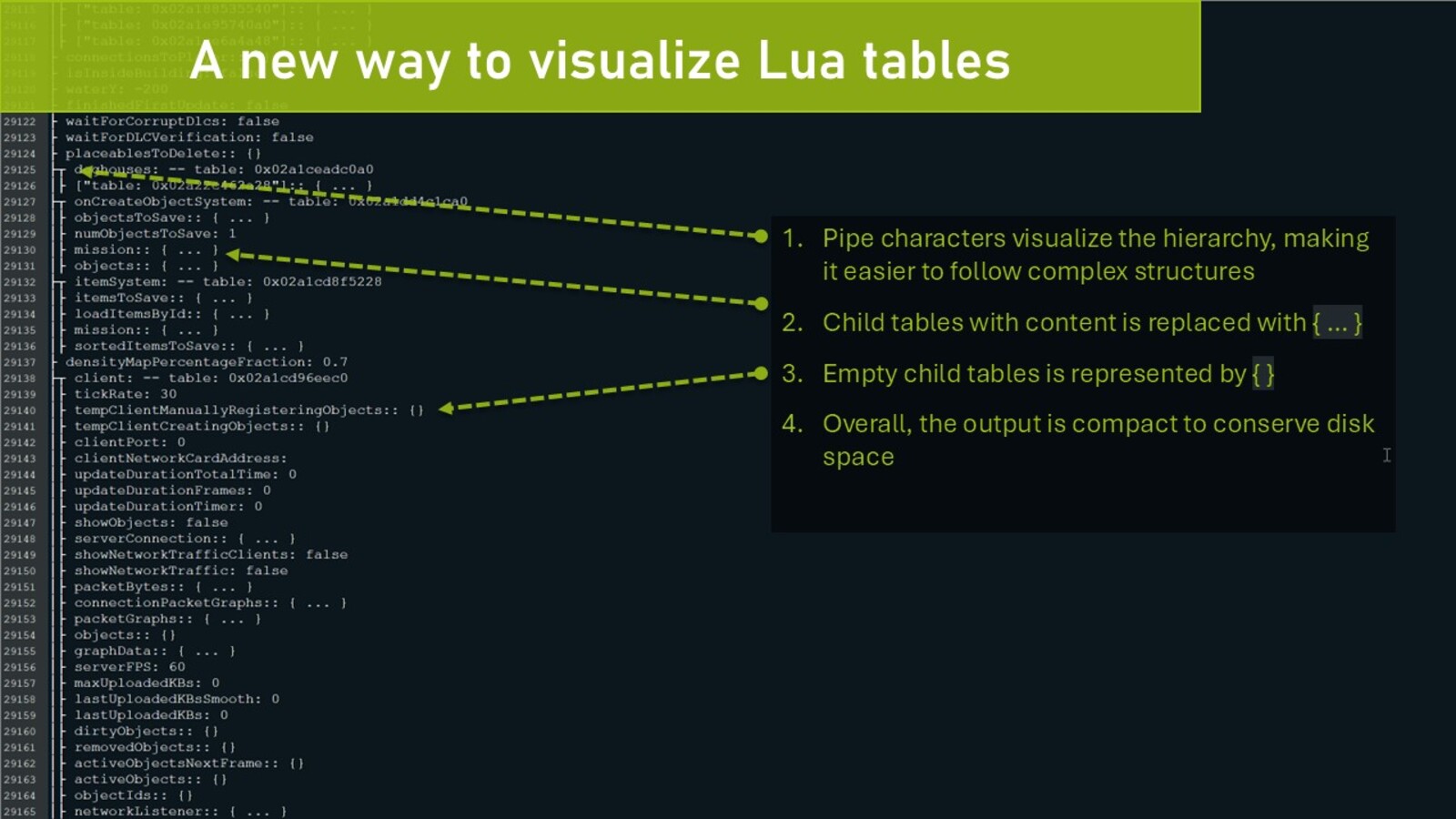
An improved style of visualizing in-game tables, together with the posibility to save tables to well-formed Lua files, opens up a new way of understanding the FS object model!
# FEATURES:
- New console commands to restart the game (see below for details)
- Console command to print Lua table contents to either the console/log or a separate file
- Console command to clear the log file
# CONSOLE COMMANDS:
- [NOTE*] dtRestart (or 'r'): Restarts the game client using a soft restart (slightly faster than a hard reset)
- [NOTE*] dtRestartHard (or 'rr'): Performs a hard reset (this will ensure everyhing is unloaded from memory)
- dtTable: Prints the contents of a Lua table to the console/log
- dtSaveTable: Save the contents of a Lua table to a file (3-4x times faster than printing a table to the log)
- dtVisualizeTable [beta]: An improved way of printing tables to the log, both faster, more memory efficient and visually improved.
- dtClearLog (or 'cls'): Clears the log.txt file to get a fresh log (especially useful when using the restart command)
*NOTE: Due to new limitations in FS25 automatic restart of current savegame is disabled until Giants re-enables this feature.
# CAUTION!
The console commands to restart the game will do this -without- asking you to save your progress first. I.e. you risk loosing progress if you are not cautious!
# SAVING TABLES
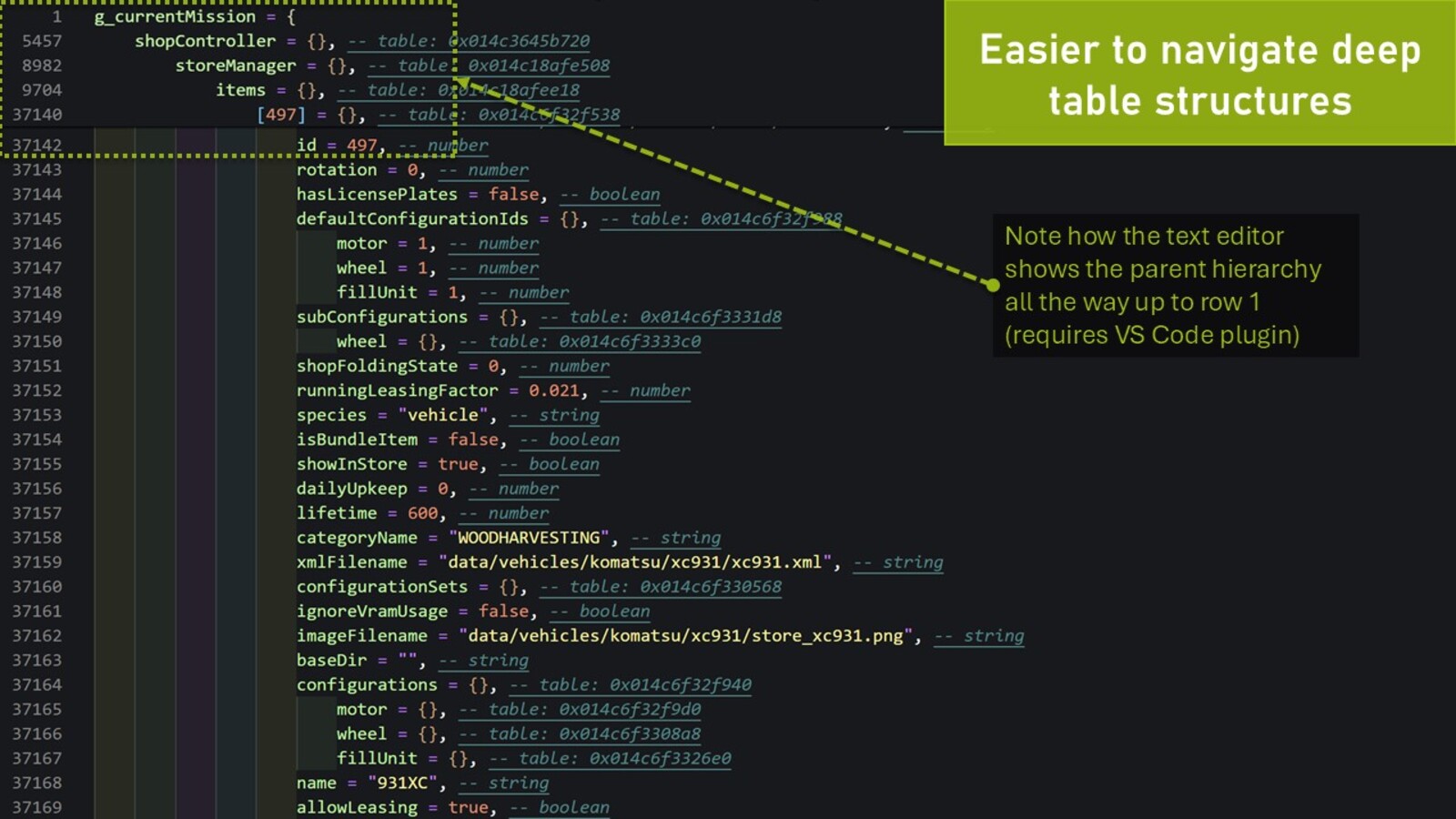
The 'dtSaveTable' allows you to quickly dump a Lua table to disk in a well formatted Lua file, meaning you can load this file as a source file in the Lua interpeter or in-game. This has several uses cases, especially to understand the FS object model.
Optionally you can choose the depth of the output, especially important when saving top level tables (e.g. g_currentMission) that may contain many child tabled and/or large tables. Thanks to a well optimized code it is still possible to save g_currentMission with some 5-6 levels of depth before the Lua engine starts to leak memory and becomes unstable (the default depth is set to 2).
Example:
To dump the g_currentMission table to a file you could use the command 'dtSaveTable g_currentMission currentMission.lua 1'. This would export the g_currentMission table to a file named 'currentMission.lua' and only including the direct descendants of g_currentMission.
Note: due to security restrictions, the generated .lua file will be stored in your 'My Games/FarmingSimulator2025/modSettings/FS22_000_DevTools' folder.
# PRINTING TABLES
Similar to 'dtSaveTable', the command 'dtTable' can be used to output a table to the log. It takes the table name as mandatory parameter and the maxDepth as an optional parameter (with a default value of 2).
Important! Due to the nature how FS prints to the log it is only recommended to fairly small tables and/or shallow structures (depth should not exceed 2-3). E.g. printing g_currentMission to the console with a depth of 4 will make FS consume some 10-15GB of system ram and then crash in a out-of-memory error.
If you need to print a deeper structure it is recommended to use 'dtSaveTable'.
CHANGELOG:
v1.0.1:
- FIX: Fixed the bug introduced in game update 1.5.1 that caused the "cls" console command to no longer clear the logfile
More from w33zl

Suggested Mods
Ratings & Reviews
0
0 reviews
| 5 stars | ||
| 4 stars | ||
| 3 stars | ||
| 2 stars | ||
| 1 stars |
| Login above to Rate & Review this. Let us know what you think! |
| No Ratings & Reviews Yet. Be the first to leave a Rating & Review! |