Radio Enhancements


| Mod Name | Radio Enhancements |
| Game | Farming Simulator 25 |
| Manufacturer | None |
| Category | Gameplay |
| Author | TRIDENTE |
| Size | 0.58 MB |
| Version | 1.3.0.0 |
| Release Date | 01.04.2026 |
| Platform | PC/MAC |
Views 1939
Downloads 10
ModBarn 0 (0)
ModHub 4.4 (84)
Radio Enhancements
This script adds some useful enhancements to the in-game radio.
1. You can now change the radio volume in vehicles at any time without opening the menu.
Default keys:
- Left Shift + 4 quieter
- Left Shift + 6 louder
The keys can be changed in the menu settings.
2. The current radio volume is shown for a short time in the F1 menu and then disappears again.
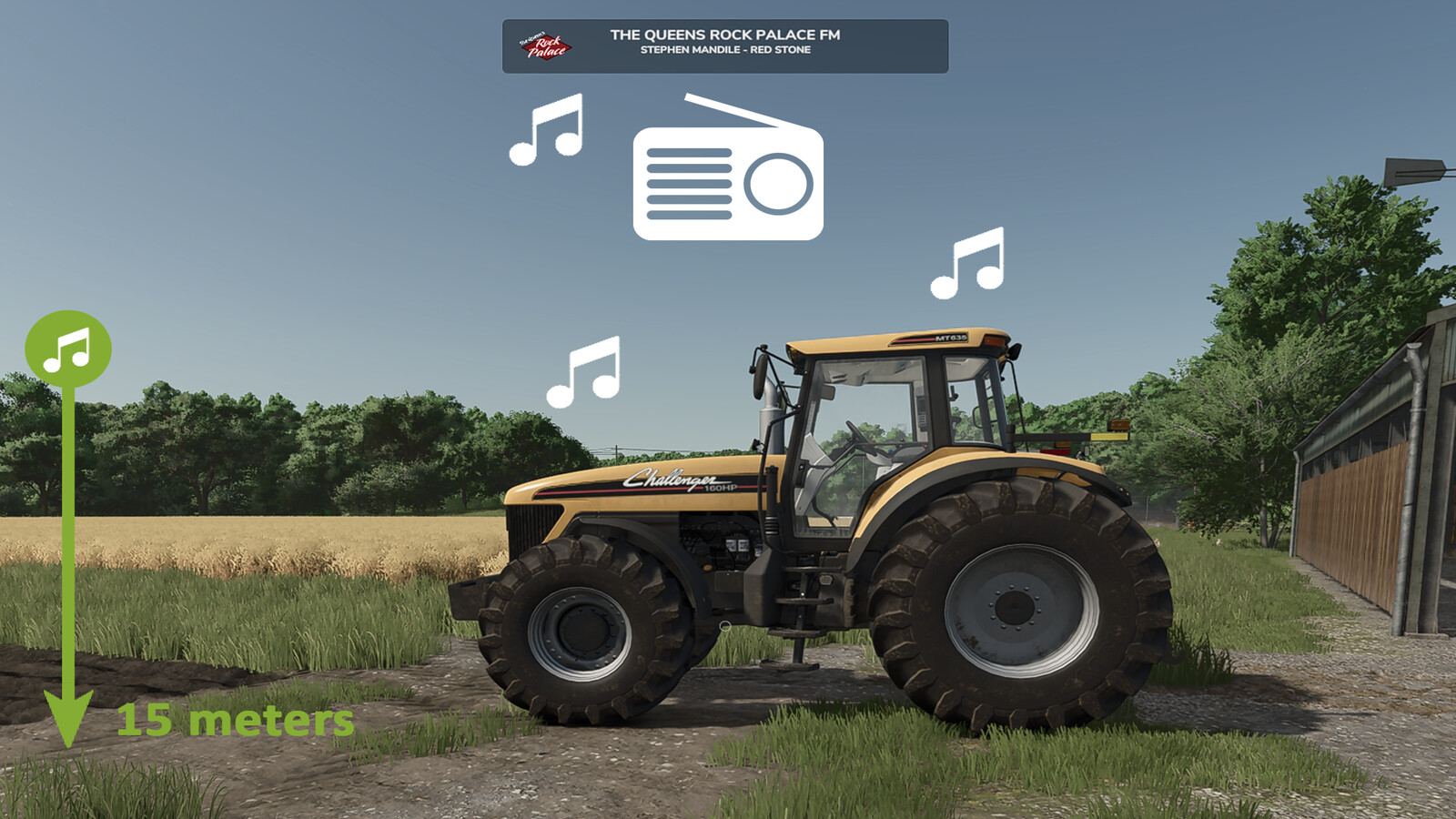
3. If you leave a vehicle while a radio station is switched on, you can continue to hear the radio up to a certain distance.
- after leaving the vehicle, the volume is reduced to 20% of the current value (can be changed)
- if you move away from the vehicle, the music becomes quieter and quieter (maximum distance can be changed)
- if you move closer again, the volume slowly increases again
- the radio must be switched off manually in the vehicle to disable this function
- the radio state (on/off) is saved individually for each vehicle
- helpers switch the radio on by default - you can hear it when driving past :) (helper radio can be disabled / changed)
- a RadioEnhancements.xml file is created in the modSettings folder where you can change values
4. Multiplayer
- the script synchronizes the radio state (on/off) and the volume of your multiplayer vehicles
- if another player drives past you with the radio switched on, you will hear it too
- internet radio streams are synchronized with your multiplayer partners if you have also set them globally on your side
5. Partybox (Changelog 1.2.0.0)
- you can buy a portable speaker in the shop under Miscellaneous > Miscellaneous
- this Partybox can be carried anywhere and, if desired, continuously plays your radio stations / music everywhere
- to use it, simply "enter" the speaker and check the F1 menu
- the Partybox has its own volume control, independent of everything else
- animated party lights of the speaker can be enabled in the F1 menu and are multiplayer compatible
Changelog 1.3.0.0
- A preferred start station can now be set
- Radio stations are now saved per vehicle; the preferred station only applies to vehicles without a saved station
- Vehicles and speakers now keep their own station; outside the vehicle, you will always hear the station of the nearest active vehicle
- Mod settings can now be changed directly in the in-game menu under General Settings
- Helper radio volume is now reduced to 50% by default and can be adjusted freely
- The radioEnhancementsVehicles.xml in the savegame now also stores the manufacturer, type, and station of the vehicles
Changelog 1.2.0.0
- Partybox Update
- fixed an issue where the radio could sometimes be controlled outside of vehicles
- radio HUD is no longer shown outside of vehicles
- radio volume is reduced more when leaving a vehicle
- radio sound outside of vehicles has been slightly degraded (weak background noise added)
Changelog 1.1.0.0
- radio volume is now saved separately for each vehicle ID (for example: Vehicle A > 100% / Vehicle B > 20%). Some engines are simply louder or quieter
- radio status and volume are now saved individually for each vehicle in the savegame and loaded when the game starts
- in multiplayer, you can now hear volume changes made by other players, not just on and off
What I unfortunately cannot change
- in multiplayer, you always hear the radio station currently selected client-side on your own game in other players' vehicles, not the other player's station
More from TRIDENTE

Suggested Mods
Ratings & Reviews
0
0 reviews
| 5 stars | ||
| 4 stars | ||
| 3 stars | ||
| 2 stars | ||
| 1 stars |
| Login above to Rate & Review this. Let us know what you think! |
| No Ratings & Reviews Yet. Be the first to leave a Rating & Review! |