Animal Food Calculator
| Mod Name | Animal Food Calculator |
| Game | Farming Simulator 25 |
| Manufacturer | None |
| Category | Gameplay |
| Author | [Weekend Farmers] |
| Size | 0.13 MB |
| Version | 1.1.0.2 |
| Release Date | 15.05.2026 |
| Platform | PC/MAC |
Views 1476
Downloads 37
ModBarn 0 (0)
ModHub 4.5 (304)
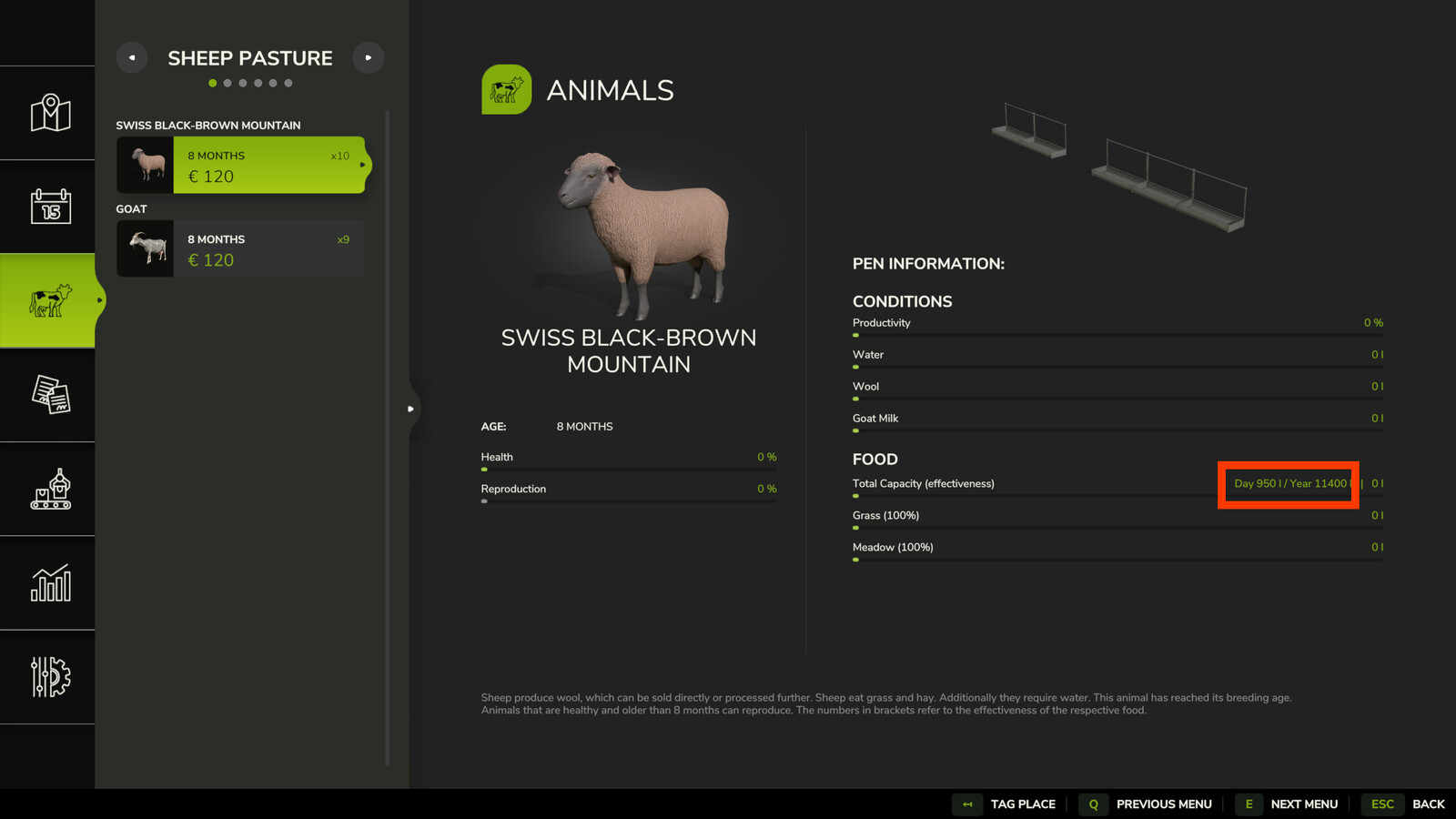
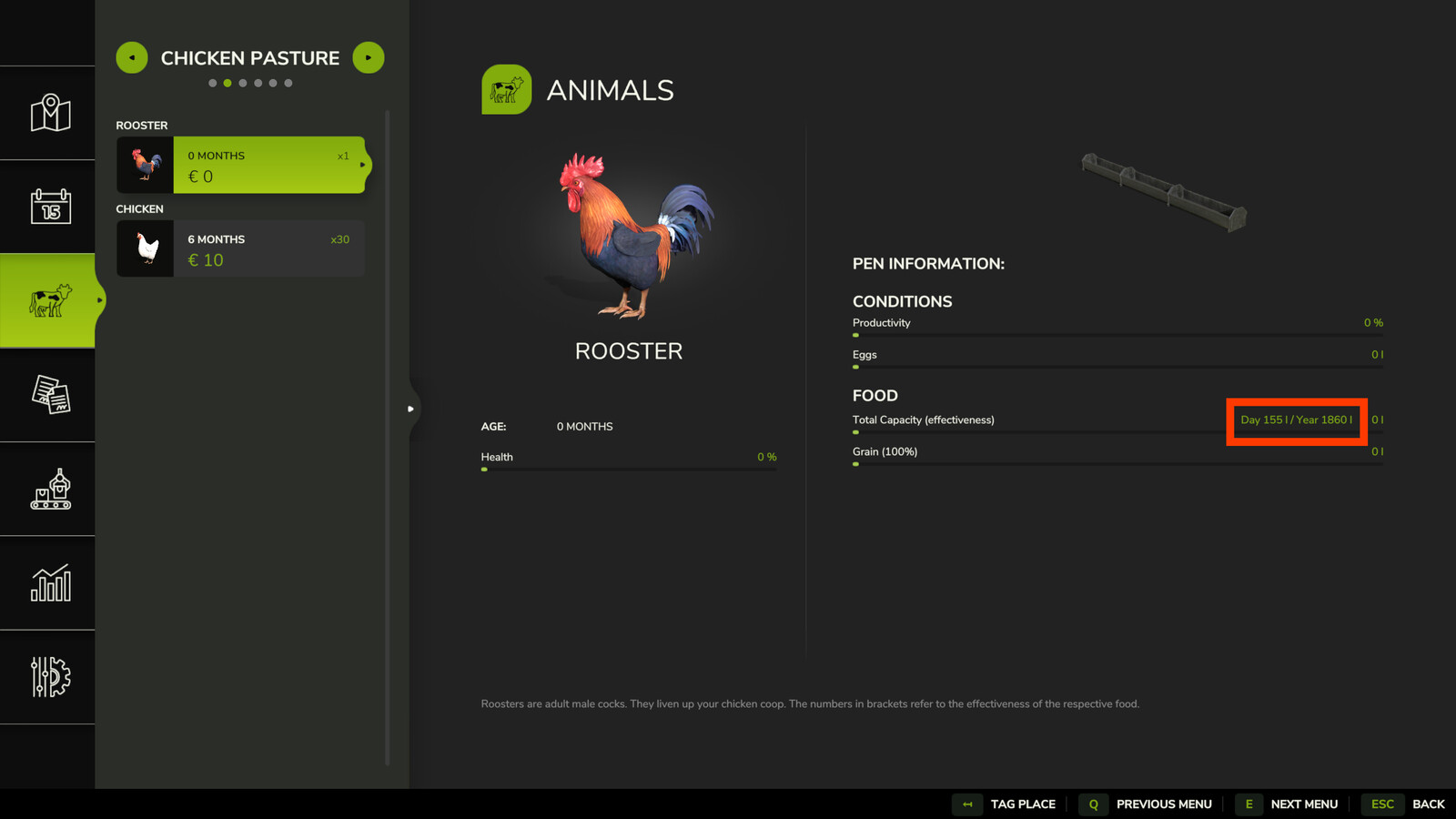
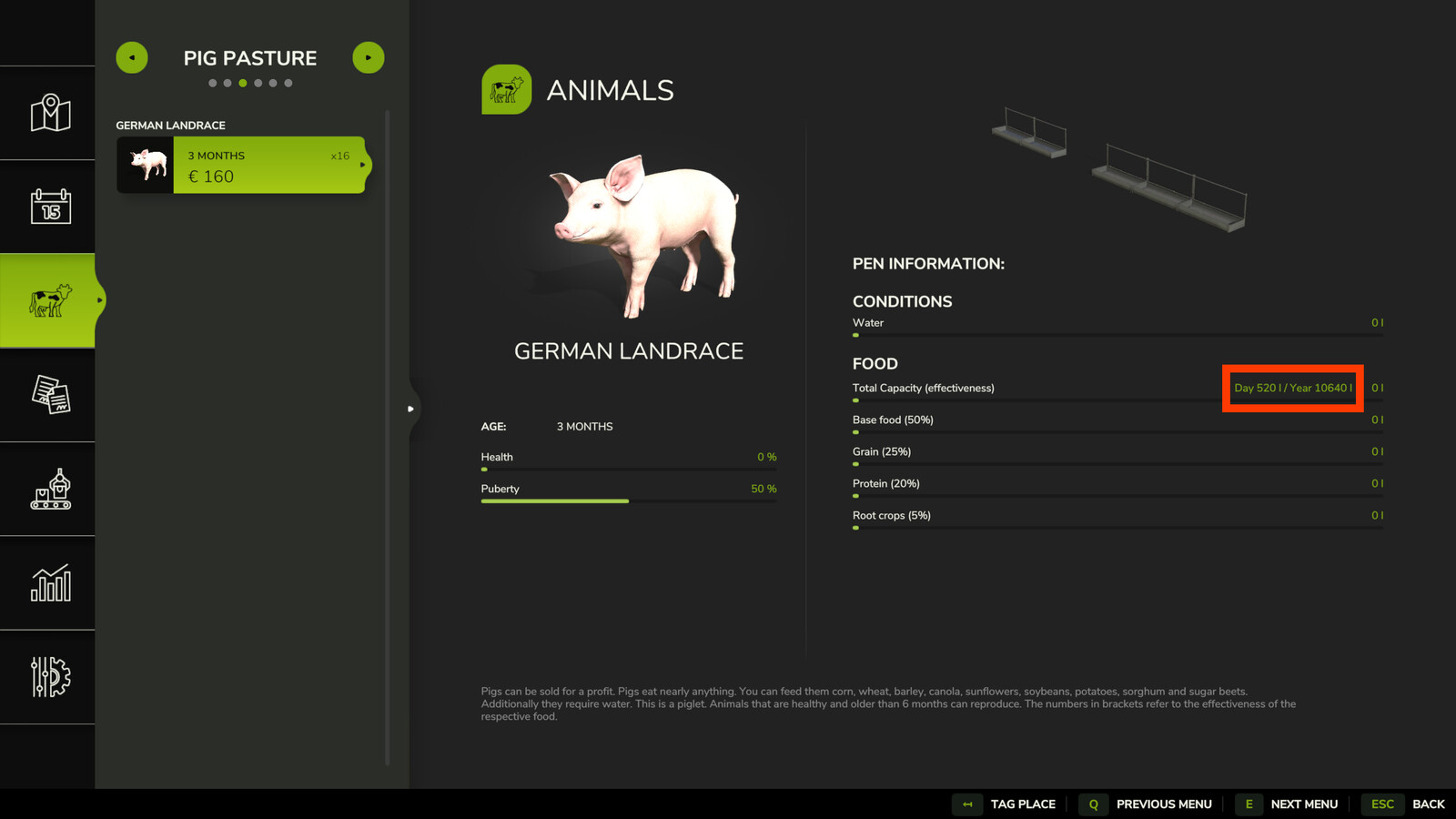
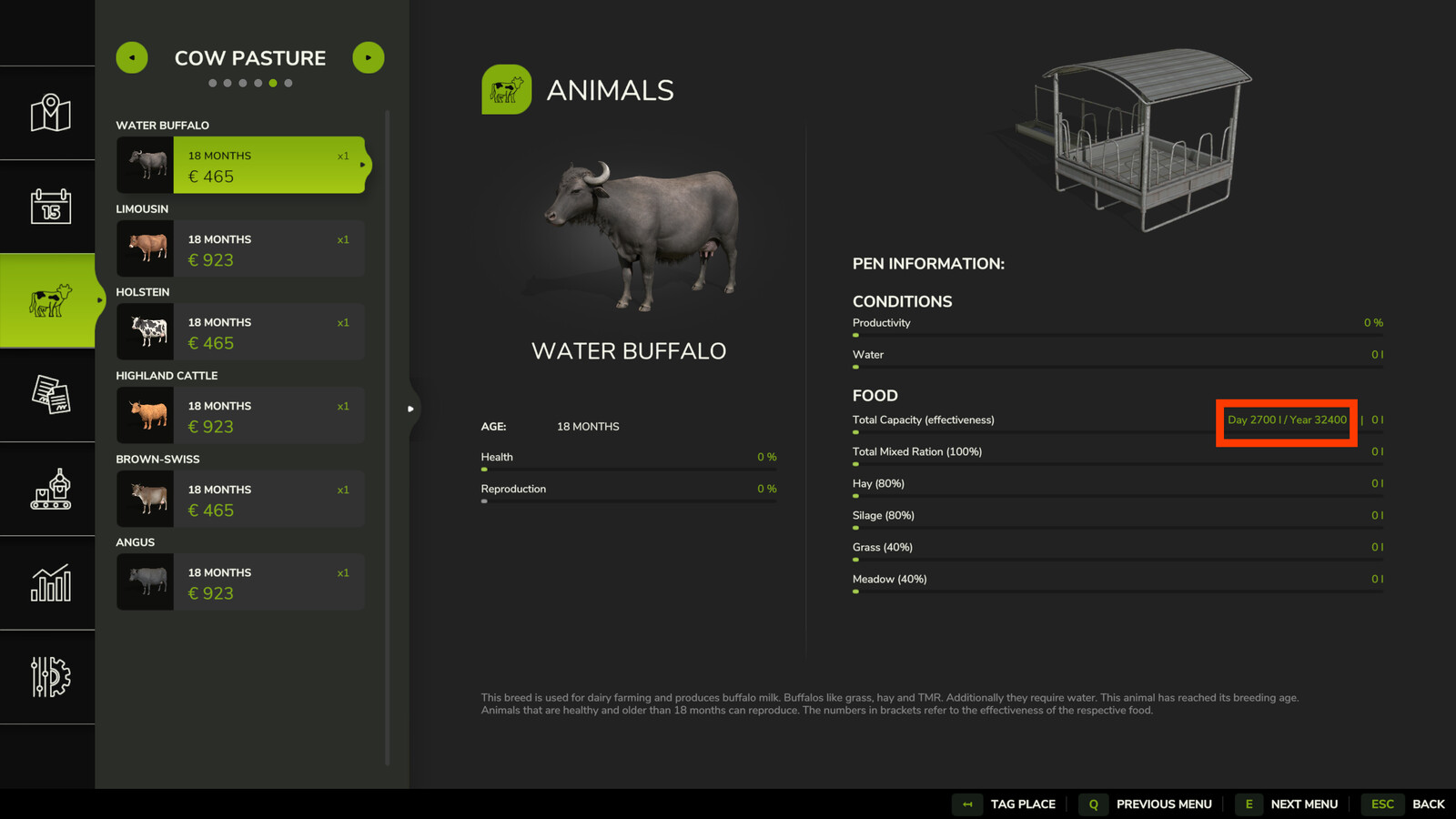
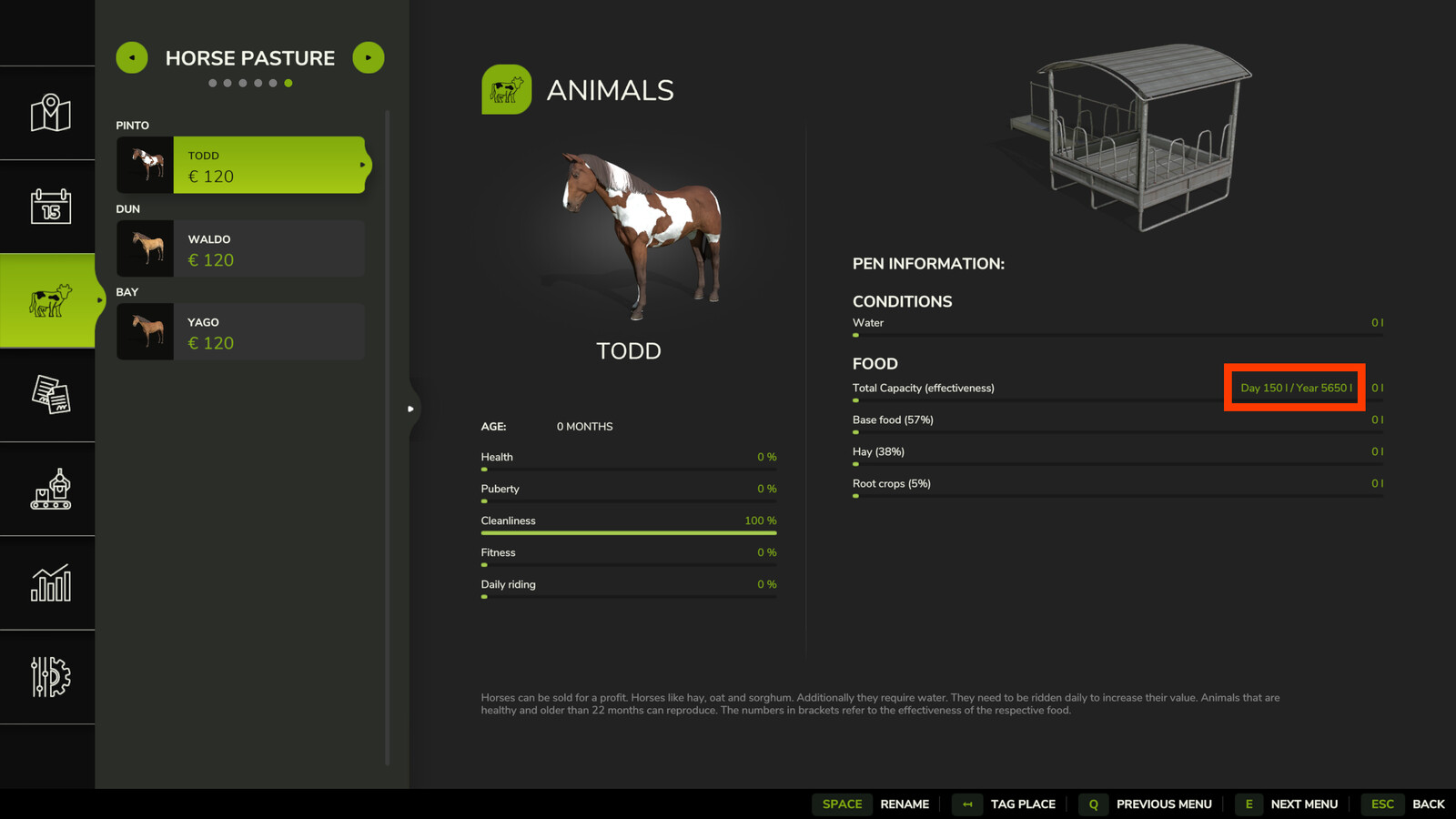
The Animal Food Calculator (AFC) enhances animal husbandry in FS25 by providing significantly greater clarity and control.
In the animal menu, the mod not only displays estimated daily and annual consumption but can also depending on the settings
adjust the actual in-game values to the selected reference and scaling.
It supports food, water, and straw, as well as output values such as milk, manure, slurry, and pallet output.
In the EnhancedAnimalSystem, AFC takes lactation factors into account for supported animals so that the display and calculations better align with the enhanced animal systems.
AFC can read its values from various sources:
- from the base game,
- from the map, if a custom animals.xml is built in,
- from the FS25_AnimalPackage_vanillaEdition by BavarianRedneck
- from a custom animals.xml within the mod.
Easily switch modes ingame in the game settings under Animal Food Calculator
The modes explained:
1. Reference Source
The reference source determines which animal data AFC uses as a basis.
So the question is: Which values should apply?
- Basegame: AFC uses the animal values from the base game. Good for players who want to stay as close as possible to the standard LS.
- Map: AFC uses the animal values from the currently selected map, provided the map includes its own animals.xml file. Good for mod maps with their own animal balancing.
- AnimalPackage: AFC uses the values from the installed FS25_AnimalPackage_vanillaEdition. If the mod is active, it takes precedence and may override other sources.
- Custom: AFC uses the mod’s own animals.xml as a reference. This is the right choice for custom balancing or adjusted values.
2. Scaling Mode
The scaling mode determines how much the input and output are additionally adjusted.
So the question is: Should the values simply be adopted, or should they be scaled as well?
- Basegame: Scaling is off. AFC displays values and operates without additional scaling. The multiplier is effectively set to 1.0, and the number of days is not factored in separately.
- Auto: AFC scales automatically based on the set number of days per month, but without an additional multiplier. This is useful if you want the values to grow automatically with your time system.
- Manual: AFC scales only using your set multiplier. The number of days per month is not automatically factored in here. Good if you want full manual control.
- Hybrid: AFC combines both, scaling based on days per month plus an additional custom multiplier. This is the most flexible mode for balancing and gameplay.
3. Multiplier
The multiplier is an additional factor for AFC scaling. The menu offers fixed levels ranging from 0.25x to 10.00x. It is only active in Manual and Hybrid modes.
**CHANGELOG 1.1.0.0**
- All animalbarn inputs and outputs are now displayed
- New modes for selecting the data source
- Consumption values can now be read and set from different sources depending on the mode
- Improved support for additional animal subtypes from mods
**Changelog 1.1.0.1**
- Fixed reference handling for missing inputs and outputs.
- Missing reference entries now correctly display as zero.
- Missing reference entries no longer consume or generate resources.
- Fixed Basegame reference handling for duplicate age keys, especially eggs.
- Fixed AnimalPackage reference loading from split per-animal XML files.
- Fixed reference source selection when AnimalPackage is active.
- Fixed pallet output scaling for eggs, wool and goat milk.
- Fixed milk output/display scaling inconsistencies.
- Improved separation between runtime values and selected reference values.
- Disabled reference fallback debug logging by default.
**Changelog 1.1.0.2**
- Map animals.xml is now correctly detected from the map.xml.
More from [Weekend Farmers]

Suggested Mods
Ratings & Reviews
0
0 reviews
| 5 stars | ||
| 4 stars | ||
| 3 stars | ||
| 2 stars | ||
| 1 stars |
| Login above to Rate & Review this. Let us know what you think! |
| No Ratings & Reviews Yet. Be the first to leave a Rating & Review! |